


FastBridge’s new Participation Report gives district and school leaders a clear view into who has—and hasn’t—completed key universal screening assessments for reading, math, and social-emotional behavior throughout the school year.
Designed to support state compliance in screening, the report delivers exportable data by district, school, and grade level, empowering educators to:
- Monitor participation across universal screening assessments
- Communicate completion rates with internal and external stakeholders
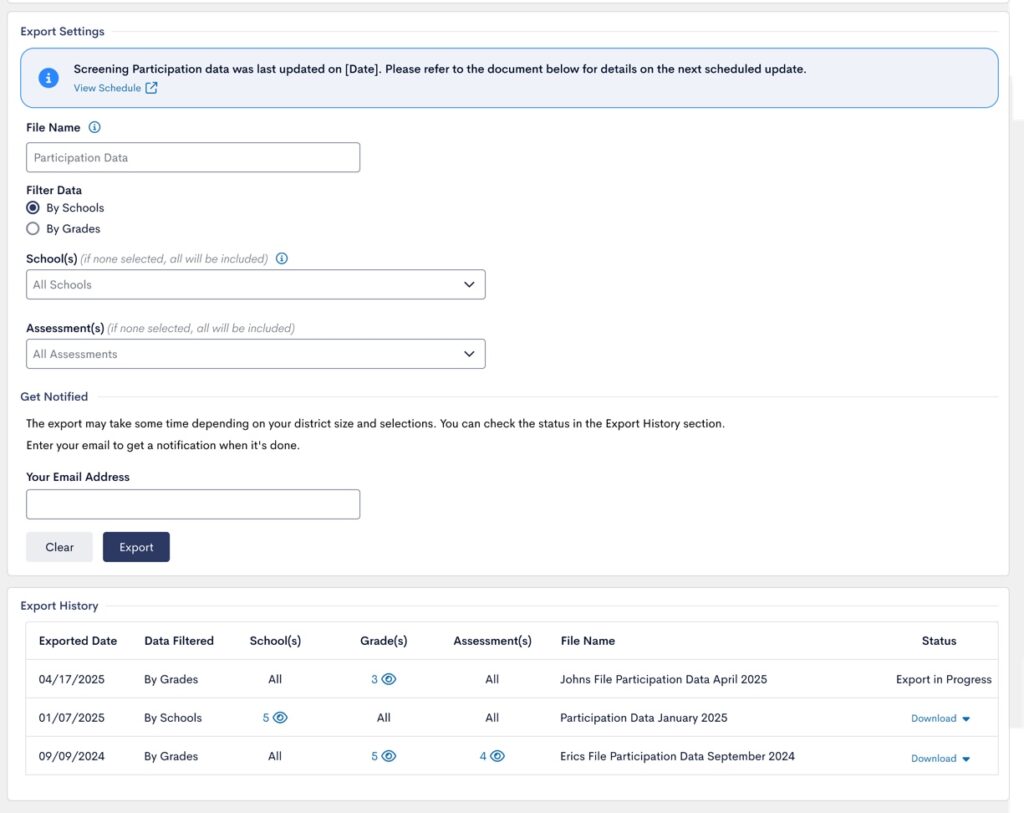
Users can export both raw participation data and aggregates in two different file formats (.csv and .xls) to meet state compliance guidelines:
- The Participation Report lets you filter by grade, school, and assessment, includes email notifications like the Data Download, and keeps export files available all year—while only calculating participation for actively enrolled students.
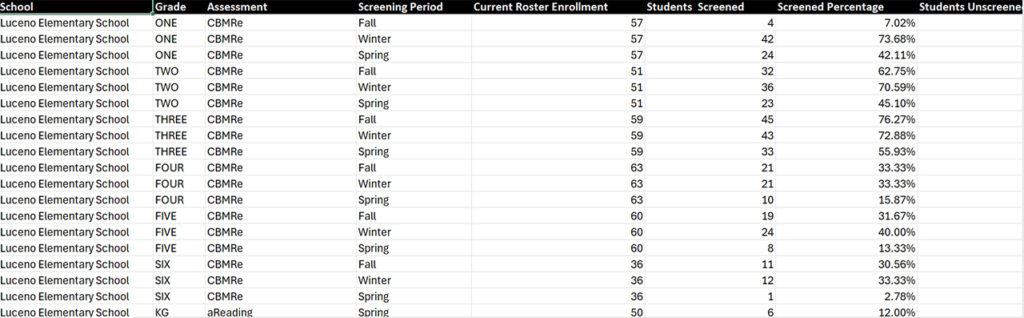
- The raw data file shows the number and percentage of students screened and not screened for each grade at each school, with one row per screening period. A student is counted as “screened” if they have a score for the assessment, helping users identify where additional support for testing may be needed.
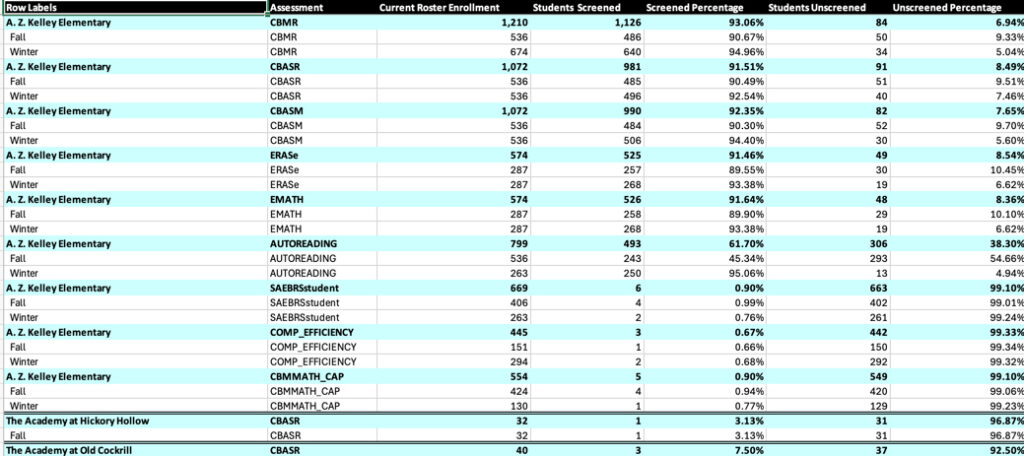
- Aggregate data shows totals for screened and unscreened students based on your selections, with schools or grades included depending on filters. Styling is available only in the .xls version.
Renaissance helps you “See Every Student” with the addition of the Participation Report that provides leaders with a view of student participation across universal screening assessments. Click here to learn more about FastBridge.